Instagram Download: Save Instagram Videos, Photos, and Reels with Grabfy
Last Updated on 16 September 2026
Ever found an Instagram Reel you wanted to watch offline or a photo you wanted to keep for inspiration? Instagram provides several ways to save content inside the platform, and some public Reels can be downloaded when the creator allows it. However, there is no universal download option for every public post, photo, Story, or Reel.
That is where browser-based tools can be useful. They allow you to save supported public media to your device without relying on screenshots or screen recordings.
What Is an Instagram Download?
An Instagram download means saving a copy of an Instagram photo, video, Reel, Story, or carousel media file to your device.
This is different from using Instagram’s built-in Saved feature. Saving a post on Instagram creates a bookmark inside your account rather than a local copy of the media. If the original post is removed or becomes unavailable to you, the saved bookmark may no longer provide access to it.
People download Instagram content for several common reasons, including offline viewing, creative reference, personal archiving, authorized editing or reposting, and preserving temporary content they have permission to keep.
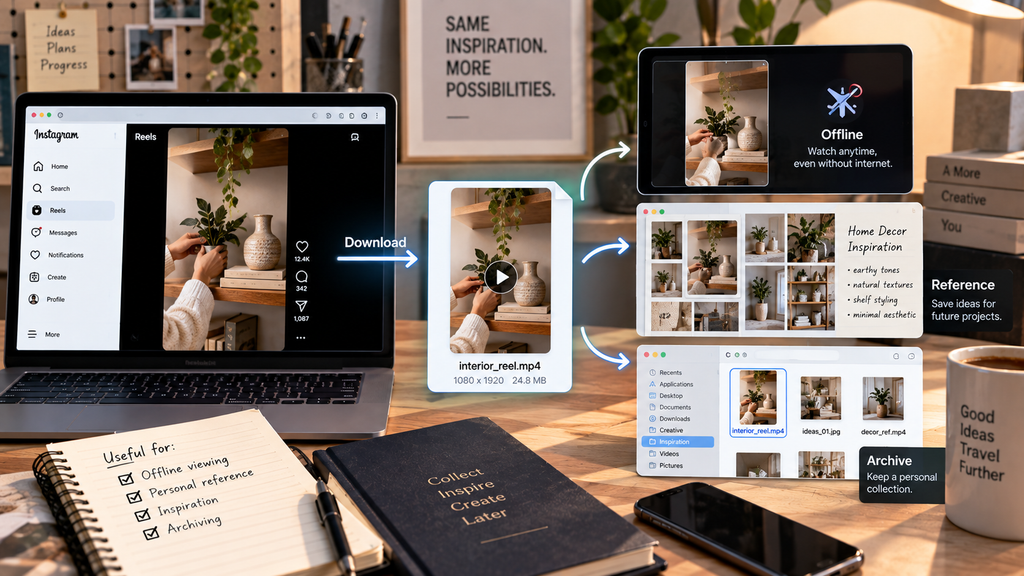
Screenshots and screen recordings are another option, but they capture what appears on your screen rather than retrieving the available media file itself. This can introduce interface elements or reduce practical quality.
For supported public content, an online Instagram downloader provides a more direct way to save available media. Regardless of the method you use, copyright and the creator’s rights still apply.
Why Use a Browser-Based Instagram Downloader?
A browser-based instagram download tool avoids the need to install a separate application or browser extension. It can process supported public Instagram links through a web browser, making the basic workflow similar across phones, tablets, and computers.
Depending on the public content available at the supplied URL, a downloader may support videos, Reels, photos, Stories, and carousel media. There is no need to provide Instagram account credentials simply to process a supported public link, and no dedicated desktop program or mobile downloader app is required.
Browser-based access also means the service can be used through modern browsers on Android, iPhone, Windows, macOS, Linux, tablets, and other compatible platforms.
How to Download Instagram Videos and Photos
The basic process is similar whether you want to save Instagram video content, a photo, Reel, or another supported public post.
On Android and iPhone
Open the public post or Reel you want to save, tap the Share option, and choose Copy link when available. Next, switch to a browser such as Chrome or Safari, open the downloader, and paste the copied Instagram URL into the input field.
Process the URL and choose the available media file you want to save. Your browser and device settings determine where the downloaded file is stored.
On Windows, macOS, or Linux
Open the public Instagram post in your browser and copy its URL. Then open the downloader in another tab, paste the URL, and process the link.
Once the download begins, the file will normally appear in the download location configured in your browser or operating system.
Where Do Instagram Downloads Go?
The exact destination depends on your device and browser.
On Windows and macOS, downloaded files usually appear in the Downloads folder unless you have selected another location. Android devices commonly use a Downloads folder, although media may also become accessible through the file manager or gallery.
On iPhone and iPad, downloads commonly appear in the Files app. Depending on the media and what you do afterward, compatible files may also be saved to Photos.
If you cannot find a downloaded file, check your browser’s download history before assuming the download failed.
Download Instagram Content on Phones, Tablets, and Computers
One advantage of an online Instagram downloader is that the process does not change much between devices. You need an Instagram link, a compatible browser, and an internet connection.
On a phone, copy a public Instagram link from the Instagram app and switch to your browser. This avoids installing a separate downloader application or granting an unfamiliar app additional device access.
Desktop users can copy the URL directly from the browser address bar when viewing Instagram on the web. Tablets and Chromebooks follow essentially the same workflow: copy the public Instagram link, paste it into the downloader, and save the available file.
Download Instagram Videos, Reels, Photos, Stories, and Carousels
Instagram includes several media formats, and the way you save them can differ slightly depending on the type of post.
Instagram Videos
When you want to download instagram video content, supported public Instagram video posts can be saved locally with Grabfy. The quality of the resulting file depends on the media Instagram makes available.
This distinction matters when a website promises “HD” or “original quality.” A downloader can preserve the quality of the source file it retrieves, but it cannot transform a lower-quality Instagram source into a higher-resolution original that is not available.
Instagram Photos
Single-image posts are straightforward: copy the URL of the public post and process it through the downloader.
The dimensions and quality of the downloaded image depend on the version Instagram serves, so there is no single resolution that applies to every Instagram photo.
Instagram Carousel Posts
Carousel posts can contain several photos, several videos, or a mixture of both. Instead of taking screenshots of individual slides, a compatible carousel downloader can identify supported media associated with the public post.
Always review the returned items before saving them, particularly when a carousel contains a mixture of photos and videos.
Instagram Reels
Reels are short-form videos that may be available through Instagram’s own download feature when the creator has enabled downloading. Availability depends on the Reel and creator settings.
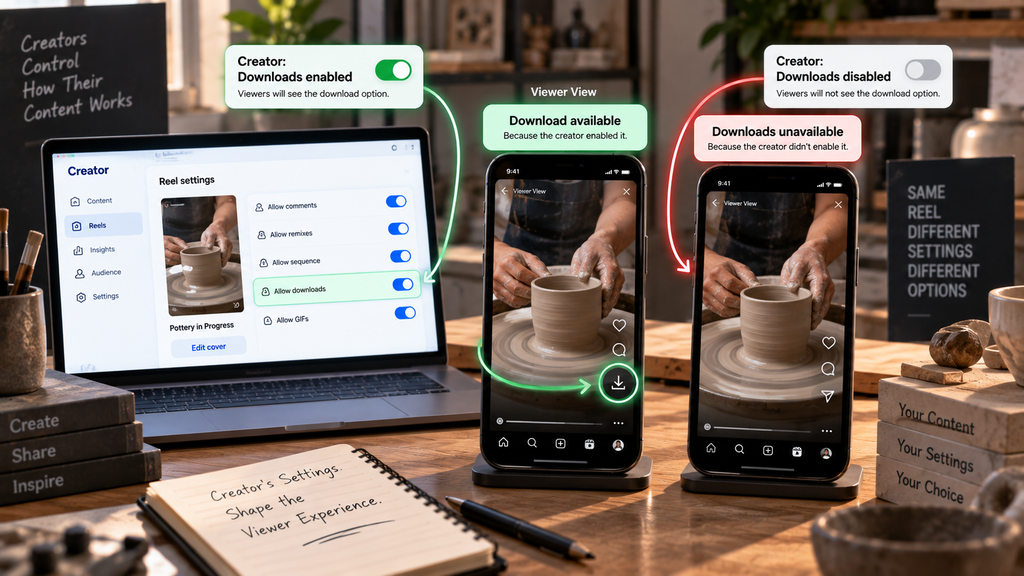
For other supported public Reels, a browser-based downloader provides another way to obtain the available media file without screen recording.
Downloading a Reel does not transfer ownership or automatically give you permission to repost, edit, monetize, or distribute it.
Instagram Stories
Stories normally remain available for 24 hours after publication unless the creator saves them as Highlights. Because of their temporary nature, users may want to preserve Stories they created themselves or public Stories they have permission to save.
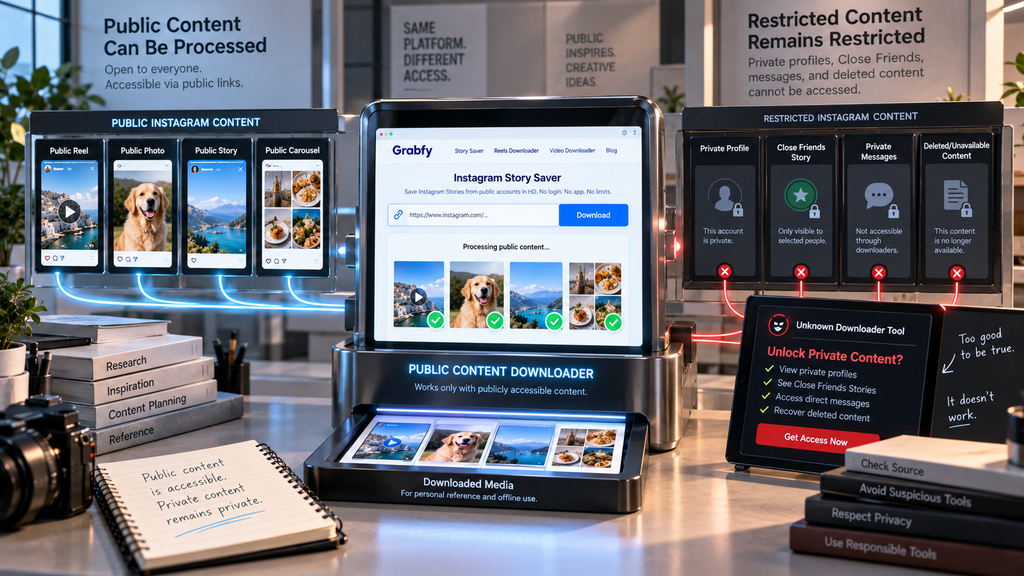
A third-party downloader cannot legitimately unlock private Stories, Close Friends content, deleted media, or other content inaccessible to the public.
What to Look for in an Instagram Download Tool
Not every third-party Instagram downloader should be trusted simply because it can process a link. Security and privacy should be considered before using an unfamiliar website.
A straightforward public-content downloader should not need your Instagram password, two-factor authentication code, recovery code, or email credentials. Be cautious if a website asks you to sign in through an unfamiliar form merely to download a public post.
You should also be wary of services requiring unexpected browser extensions, configuration profiles, executable programs, or mobile installation packages when a browser-based process should be sufficient.
Claims that a downloader can reveal private profiles, private messages, Close Friends Stories, or deleted content are another warning sign. Legitimate public-content tools should respect access restrictions rather than promise to bypass them.
Instagram Download Quality: What You Can Actually Expect
A common misconception is that an Instagram downloader can improve the quality of a post.
Instagram processes uploaded photos and videos for delivery through its platform. A downloader retrieves a version Instagram makes available; it cannot reconstruct an untouched original unless that file is actually available from the source.
For this reason, terms such as “HD download” should be understood as downloading an available high-quality source rather than artificially upscaling the content.
The same principle applies to file formats and dimensions. Instagram supports different media types, aspect ratios, resolutions, and encoding configurations, so not every photo or video will have identical specifications.
Is It Safe and Legal to Download Instagram Content?
Downloading a publicly accessible file and having the right to reuse that file are separate issues. Content appearing on a public Instagram profile is not automatically free of copyright.
Original photos, illustrations, videos, music, and other creative works may be protected. Saving something for personal reference does not automatically grant permission to republish it, use it commercially, remove attribution, or present it as your own work.
If you intend to repost, edit, distribute, or commercially use someone else’s Instagram content, obtain appropriate permission or confirm that you otherwise have the necessary rights.
Public visibility should not be confused with an unrestricted license to reuse content. Be particularly careful with material containing identifiable people, copyrighted music, artwork, or commercial photography.
Private Instagram content is also different. Private profiles are deliberately restricted to approved followers, and a legitimate public downloader should not claim to bypass those controls.
Download Instagram Content Responsibly
An Instagram download tool can be useful when you want a local copy of supported public media for offline viewing, personal reference, or another legitimate purpose. Browser-based tools make the process convenient because you can copy a public Instagram link, process it online, and save the available media without installing additional software.
The important distinction is between access and permission. Being technically able to download a public photo, video, Reel, Story, or carousel does not automatically give you the right to redistribute it.
Use Instagram download tools for legitimate purposes, respect creators and account privacy, and obtain permission whenever your intended use requires it.