How AI Image Editor Is Changing the Way Professionals Build LinkedIn Profile Photos
Last Updated on 28 September 2026
A LinkedIn profile photo carries more weight than most people give it credit for. It is often the very first impression a recruiter, client, or new connection forms before reading a single word of a profile. And yet most professionals are still working with whatever photo happened to turn out decently from a phone camera, an old conference badge shot, or a cropped group picture from a wedding.
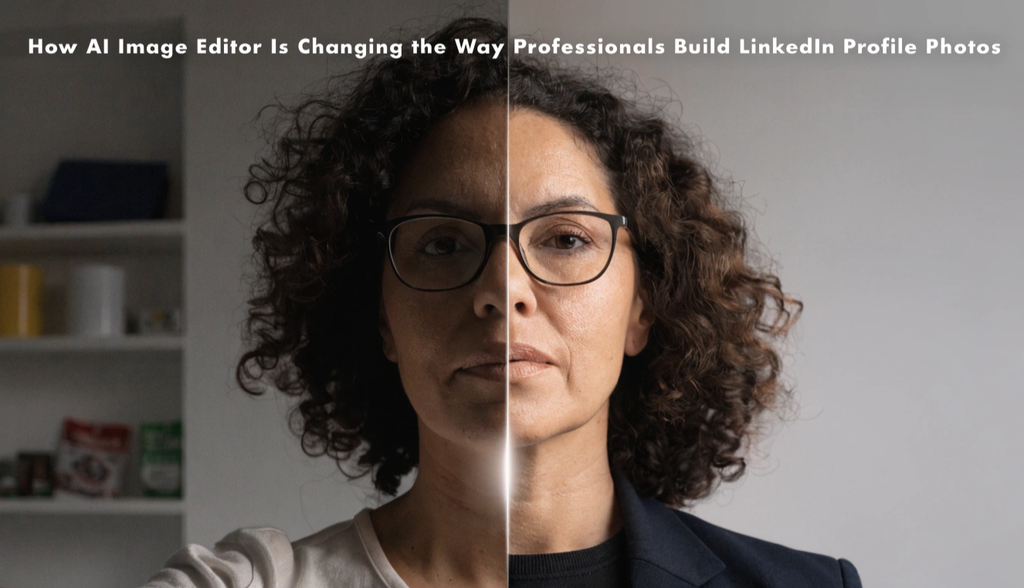
Hiring a professional headshot photographer solves that problem, but it costs money and time that not everyone has readily available. AI image editor no sign up are quietly filling that gap, letting professionals turn an ordinary photo into something that actually looks the part, without booking a studio session.
Why the LinkedIn Photo Problem Is Bigger Than It Seems
Professional headshots used to be something only executives or people with generous expense accounts bothered with regularly. Everyone else made do. That approach has become a real liability as LinkedIn has grown into the default place people check before a meeting, an interview, or a business deal. A blurry photo, inconsistent lighting, or an obviously cropped group shot sends a small but real signal about attention to detail, even if that is not a fair conclusion to draw. At the same time, actual studio headshots are expensive, require scheduling, and often need to be redone every few years as someone’s appearance or role changes. That mismatch between how much the photo matters and how little most people invest in it is exactly where AI image editing has found its opening.
What an AI Image Editor Actually Changes About a Photo
A tool like EzEditor works by taking an uploaded photo and applying edits described through a simple text prompt, while keeping the person’s actual face, expression, and identity intact. For a LinkedIn photo specifically, this tends to cover a fairly specific set of adjustments.
Backgrounds can be replaced entirely, turning a cluttered kitchen or a busy outdoor scene into a clean, neutral professional backdrop. Lighting can be corrected, so a photo taken in dim indoor light or harsh overhead fluorescents starts to look like it was shot with proper studio lighting instead. Clothing and styling can sometimes be adjusted, letting someone present a more polished, business-appropriate look from a photo where they happened to be dressed casually. And general image quality can be enhanced, sharpening details and improving resolution on a photo that was never shot with a professional camera to begin with.
The important detail underlying all of this is that these tools are built to preserve faces, expressions, and other identifying features while making these changes, which matters enormously here. The goal with a LinkedIn photo is not to look like a different person. It is to look like the best, most polished version of the same person a colleague would recognize instantly.
A Practical Way to Approach This
The starting point matters more than people expect. A photo with good natural lighting, a clear view of the face, and a reasonably neutral expression gives an AI editor far more to work with than a dark, blurry, or heavily cropped image. This does not need to be a professional photo. It just needs the basic ingredients of a good one, since the AI is enhancing an existing photo rather than inventing a person from scratch.
From there, the actual editing comes down to describing what needs to change in plain language. Something like clean neutral gray background, soft professional lighting, or subtle color correction for a polished look covers most of what a LinkedIn photo needs, without requiring any technical photography vocabulary.
Because the process only takes a few seconds per attempt, it is worth generating more than one version and comparing them side by side. A background that works well for one photo might feel too stark or too warm for another, and having a few options to choose from tends to produce a much better final result than settling for the first attempt.
The last step, and an easy one to skip, is reviewing the result closely before uploading it anywhere. AI-generated edits occasionally introduce small inconsistencies around hair edges or clothing lines, and a quick zoomed-in check catches most of these before the photo becomes the first thing a recruiter or client sees.
Why This Matters Beyond Convenience
The most obvious advantage is cost. A studio headshot session can run into hundreds of dollars once styling, retouching, and the photographer’s time are factored in, and that is not a small expense for someone between jobs, early in their career, or simply not in a position to justify that spend on a single photo. An AI image editor no sign up collapses that cost down to something close to nothing, using a photo that already exists.
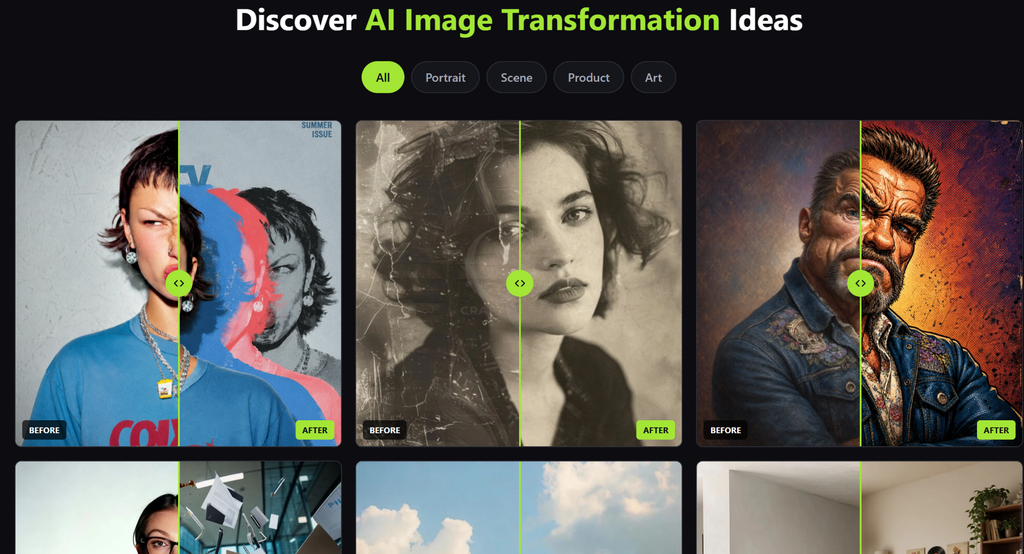
There is also a speed advantage that matters in ways people do not always anticipate. Someone updating their LinkedIn profile the night before an important interview does not have the luxury of booking a photographer. An AI editor can produce a polished result in minutes, which is often the difference between showing up with an outdated or awkward photo and showing up with something genuinely professional.
And for people who update their appearance more frequently than most, a new haircut, a career change into a more formal industry, a shift toward a more polished personal brand, an AI editor makes it realistic to refresh a professional photo far more often than a traditional headshot budget would ever allow.
A Few Things Worth Being Careful About
Authenticity matters more here than in almost any other use case for AI image editing. A LinkedIn photo is meant to represent what someone actually looks like, and edits that go beyond lighting, background, and general polish into meaningfully altering someone’s appearance start to create a mismatch between the photo and the person a new contact will eventually meet in person or on a video call. Staying close to reality protects the credibility the photo is supposed to project in the first place.
Photo quality still has real limits. A tiny, extremely blurry, or badly lit original will not become a great headshot no matter how capable the editing tool is. This works best as a way to elevate a decent photo into a polished one, not as a way to manufacture a professional headshot from an unusable starting image.
It is also worth checking the final result at full size rather than just a small preview, since small artifacts around edges or hair are far easier to spot when the image is viewed at the resolution it will actually be seen at.
And free tiers come with practical limits, usually a capped number of free edits per day, which is generally plenty for updating a single profile photo but worth knowing about if testing several different looks before settling on one.
The Bigger Shift for Professionals
What is really changing is who gets access to a polished professional image. A well-lit, well-composed headshot used to be something reserved for people who could either invest in a photographer or already worked somewhere that provided one. Now that same polish is available to anyone with a decent phone photo and a few minutes to describe what they want, which quietly levels a part of professional presentation that used to depend heavily on budget and access.
A Better First Impression, Without the Studio Session
A LinkedIn photo will likely never carry as much weight as the actual work and conversations that follow it, but it is still the very first thing most people see. AI image editors are not creating a fake version of anyone. They are taking a real photo, already sitting on someone’s phone, and helping it look as polished and professional as the person actually is, without the cost, scheduling, or hassle that used to stand in the way.