Stop Searching for Background Music: Create Your Own with Musick AI
Last Updated on 30 April 2026
Finding the right background music for a video, podcast, or creative project used to mean hours of scrolling through stock libraries, only to land on something that felt generic or came with complicated licensing rules. Musick AI — a free AI Music Generator — changes that entirely, putting original, royalty-free music in your hands in minutes.
I. Why Stock Music Falls Short
Stock music libraries are convenient, but they come with real drawbacks. Tracks get overused across thousands of videos, which makes your content blend in rather than stand out. Licensing terms can be confusing, and the music often doesn’t match the exact mood or tone a project needs.
Creating custom music used to require hiring a composer or spending years learning an instrument. Neither option is realistic for most content creators, educators, or small businesses working within tight timelines.
II. What Musick AI Actually Does
Musick AI is an online music generation tool that creates original songs and instrumentals using machine learning. It covers a wide range of genres — including EDM, R&B, jazz, pop, rap, metal, rock, hip-hop, blues, reggae, K-pop, classical, disco, and country.
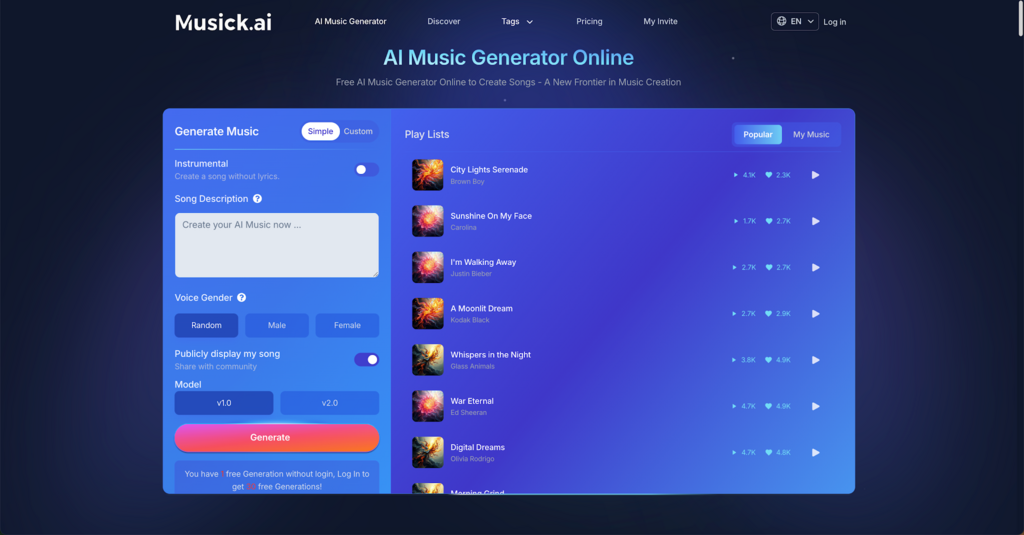
Users describe what they want in a text prompt — for example, “acoustic pop about the holidays” — and the tool generates a track based on that input. Beyond raw generation, the platform includes three specialized tools:
- AI Song Lyrics Generator — inputs a genre and generates matching lyrics automatically
- AI Beat Producer — lets users write melody notes directly and build beats
- AI Rap Generator — designed specifically for designing rap music sheets and selecting genre styles
III. How to Generate a Track: Step by Step
The process on Musick AI is straightforward:
- Choose instrumental or vocal — decide whether the track should include singing or remain purely instrumental
- Write a prompt — describe the genre, mood, instruments, and theme in the prompt box (e.g., “an uplifting, energetic pop track with bright synths and dynamic percussion around 120 BPM”)
- Select vocalist gender — if creating a song with vocals, choose the preferred vocal style (results may vary)
- Pick a model — the platform offers model options to influence the output style
- Generate and review — the track is produced quickly, and users can listen, refine, or download
The more specific the prompt, the closer the output matches the intended mood. Mentioning genres, instruments, tempo, and emotional tone all help the system deliver better results.
IV. Genre Flexibility for Every Use Case
One of the most practical aspects of Musick AI is its genre range. Whether a project needs a tense metal track for a gaming highlight reel, a smooth jazz loop for a corporate presentation, or a laid-back reggae vibe for travel content, the Music Plaza feature lets users navigate directly to a genre and start generating.
This flexibility matters because background music should serve the content, not the other way around. Having 15+ genre categories available means creators aren’t forced to compromise on the feel of their project just because a stock library doesn’t have what they need.
V. Who Benefits Most
Musick AI was built with a broad range of users in mind. The platform is particularly useful for:
- YouTubers and vloggers who need background tracks without copyright strikes
- Filmmakers and video editors looking for custom atmosphere and tone
- Podcast producers who want intro or transition music that feels unique
- Game developers who need looping tracks and dynamic soundscapes
- Educators and students creating presentations or school projects
- Businesses producing marketing videos, product demos, or social content
The AI Music produced is royalty-free and cleared for commercial use on platforms like YouTube, Instagram, Facebook, TikTok, and LinkedIn — without worrying about takedowns or licensing disputes.
VI. The Community and Discovery Layer
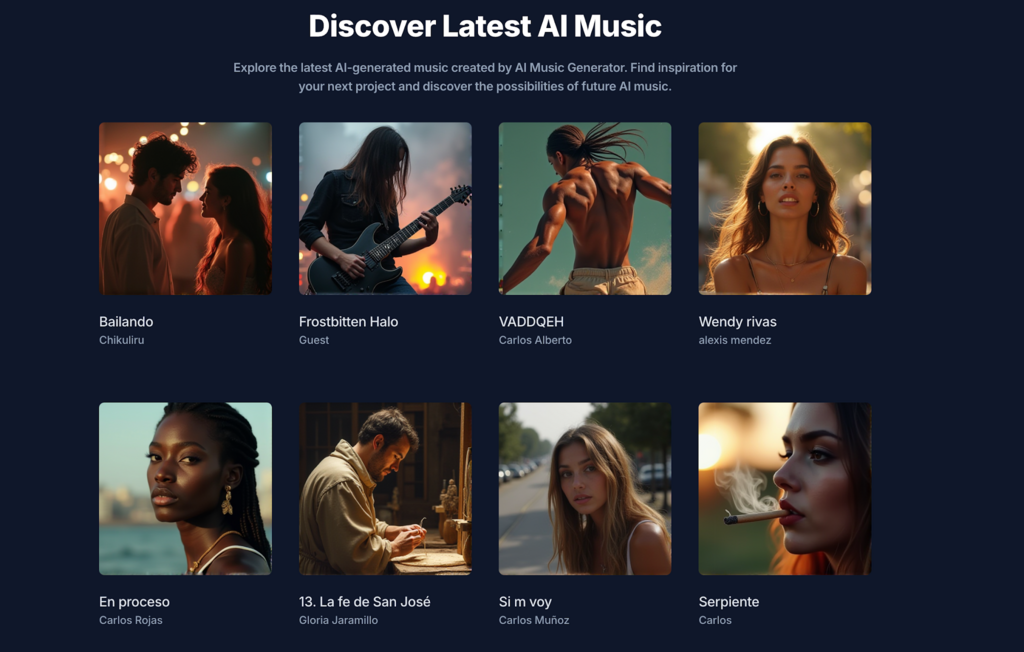
Musick AI includes a public Discover section where users can browse tracks generated by other creators. This works both as a source of inspiration and as a practical way to understand what kinds of prompts produce what kinds of results.
For anyone new to prompt-based music creation, browsing the Discover feed is a useful first step. Seeing how a particular description translates into an actual track helps calibrate expectations and sharpen future prompts.
VII. Copyright, Consent, and Commercial Use
A common concern with AI Music Maker tools is whether the output can actually be used commercially without legal risk. Musick AI addresses this directly: the platform states that its music library is built with full consent and strict adherence to copyright laws.
That means every track generated is royalty-free and usable for commercial purposes. For content creators whose livelihoods depend on staying on the right side of platform copyright systems, this is not a small detail — it’s a fundamental requirement for any music tool to be worth using professionally.
VIII. Getting Started
Getting a first track out of Musick AI takes less time than finding a decent stock music option on most libraries. No music theory knowledge is required. No instruments. No production software. Just a description of what the project needs and a few seconds of generation time.
For anyone who has spent time hunting for the right background track only to settle for something mediocre, Musick AI — one of the top 50 AI Song Maker tools recognized in 2025 — offers a better starting point: make exactly what the project needs, from scratch, in minutes.