AI vs Photoshop: Which Is Better for Removing GIF Backgrounds?
Last Updated on 3 July 2026
Removing the background from an animated GIF has traditionally been one of the more challenging editing tasks. Unlike a single image, a GIF contains multiple frames that must all be edited consistently to preserve smooth animation. For years, Adobe Photoshop was the preferred solution for this type of work. Today, however, AI-powered tools have introduced a much faster way to Remove GIF Background without requiring advanced editing skills.
A modern GIF Background Remover can automatically process every frame of an animation, making it possible to create transparent GIFs in just a few minutes. But does AI completely replace Photoshop, or are there situations where traditional editing software still performs better?
This guide compares both approaches to help you decide which option best suits your workflow.
Understanding the Challenge of GIF Editing
Editing a GIF is different from editing a standard photo. Every animation is made up of multiple frames that play one after another. When removing the background, each frame must remain consistent. If one frame is edited differently from the next, the animation may flicker or show rough edges.
Whether you use Photoshop or AI software, maintaining frame consistency is the biggest challenge during the editing process. This is why GIF background removal has traditionally required more time than editing ordinary images.
How Photoshop Handles GIF Background Removal
Photoshop offers precise editing controls and gives users complete authority over every frame of the animation. Editors can manually select subjects, refine edges, adjust transparency, and correct small imperfections. This level of control makes Photoshop a powerful option for highly detailed projects where accuracy is more important than speed.
However, manual editing also requires experience. Complex animations containing dozens or even hundreds of frames can take considerable time to complete. For beginners, the learning curve can be overwhelming.
How AI Simplifies the Process
A modern GIF Background Remover approaches the task very differently. Instead of editing every frame manually, AI automatically identifies the primary subject throughout the animation and removes the surrounding background consistently.
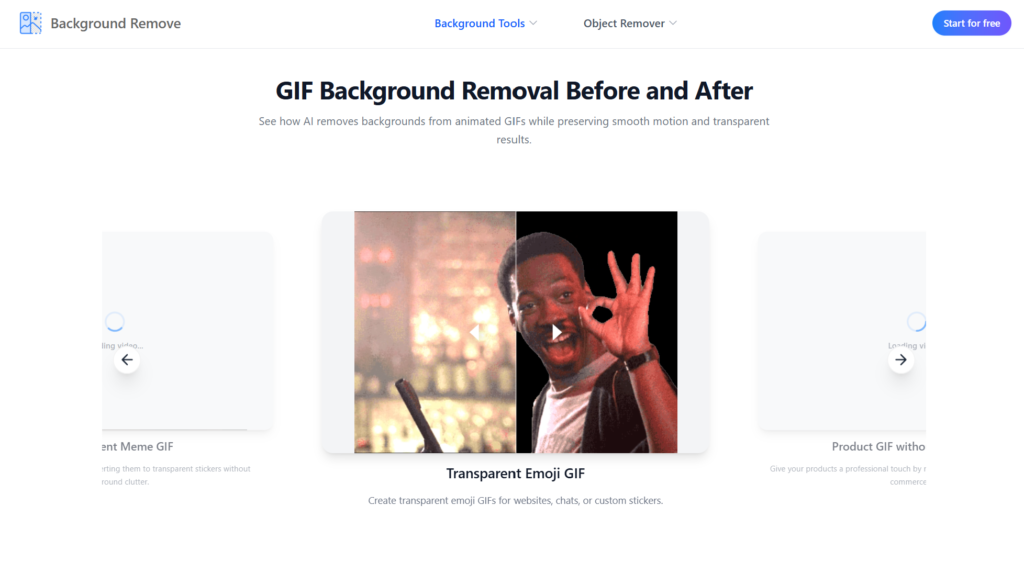
Users typically upload the GIF, wait for the AI to process the animation, review the result, and download the finished file. This automation reduces editing time dramatically and makes GIF background removal accessible even for users with no previous editing experience.
Comparing Speed
One of the biggest differences between AI and Photoshop is processing time. Photoshop requires users to perform many editing steps manually, especially when working with detailed animations. Even experienced editors may spend a significant amount of time refining difficult areas.
AI tools complete most of the work automatically, making them especially attractive for creators who edit multiple GIFs regularly. If your priority is producing transparent GIFs quickly, AI generally provides a much faster workflow.
Comparing Editing Quality
Quality depends on both the complexity of the animation and the software being used. Photoshop allows editors to manually correct difficult edges, transparent objects, reflections, and fine details whenever necessary.
AI has improved significantly in recent years and now produces excellent results for many common animations. Clear subjects with good lighting often require little or no manual adjustment. For extremely detailed projects, however, Photoshop may still offer greater precision because every frame can be refined individually.
Ease of Use
Learning Photoshop takes time. Its extensive editing tools provide tremendous flexibility but can feel intimidating for beginners. Even simple GIF projects require an understanding of layers, selections, masks, and animation timelines.
AI background removal tools focus on simplicity instead. Most platforms only require a few steps:
- Upload the GIF.
- Allow AI to process the animation.
- Review the result.
- Download the finished file.
This straightforward workflow allows new users to create transparent GIFs without investing weeks in learning professional editing software.
Which Solution Fits Different Users?
The best choice depends on your editing goals. Businesses creating marketing graphics often appreciate AI because it speeds up production while maintaining good quality. Social media creators also benefit from faster workflows when publishing content frequently.
Professional designers working on detailed commercial projects may continue using Photoshop because it offers complete creative control over every frame. Many users actually combine both approaches, using AI for the initial background removal and Photoshop only for small refinements when necessary.
Things to Consider Before Choosing
Before selecting a method to Remove GIF Background, think about your typical workflow. If you edit animations occasionally and want fast results, AI is usually the more practical option. If your work involves highly detailed commercial designs where every frame must be perfected manually, Photoshop remains a valuable tool. It’s also helpful to test both methods using the same GIF to compare their results directly. Practical experience often provides the clearest answer.

The Future of GIF Background Removal
Artificial intelligence continues to improve at an impressive pace. New AI models are becoming better at preserving fine edges, handling transparent objects, maintaining frame consistency, and processing larger animations more efficiently. Many platforms are also integrating GIF editing with image enhancement, object removal, and background replacement into unified creative workspaces.
While Photoshop will likely remain an important tool for professional designers, AI is rapidly reducing the gap between automated editing and manual retouching. As these technologies continue to develop, more creators will be able to produce professional-quality GIFs with minimal effort.
Conclusion
Both Photoshop and AI offer effective ways to Remove GIF Background, but they serve different types of users. Photoshop provides unmatched control and precision for complex editing projects, while a modern GIF Background Remover delivers exceptional speed, simplicity, and convenience for everyday content creation.
For most creators, marketers, educators, and small businesses, AI offers the fastest path to clean, transparent GIFs without requiring advanced editing skills. Professional designers working on highly detailed animations may still prefer Photoshop for its manual refinement capabilities. Choosing the right solution ultimately depends on your workflow, experience level, and the level of control your projects require.